In February 2025, a significant cyberattack struck LANIT Group, Russia’s largest IT integrator, shaking the country’s digital infrastructure. Two of its vital subsidiaries—LLC LANTER and LLC LAN ATMservice—were compromised, affecting software systems tied to banking equipment, ATMs, and payment services.
LANIT’s reach spans financial, industrial, and government sectors, making this breach one of the most alarming cybersecurity events in recent months.
What Was Affected?
According to Russia’s National Coordination Center for Computer Incidents (NKTsKI), the attackers targeted critical systems used across the Russian banking sector. Though the full extent of the breach hasn’t been disclosed, authorities urged all affected organizations to:
Immediately change system and remote access passwords
Review access logs for any suspicious activity
Increase monitoring on all infrastructure previously managed by LANIT personnel
This signals not only a technical disruption but also a major trust crisis across interconnected systems.
The Bigger Picture: Cybersecurity in Conflict Times
While the identity of the attackers hasn’t been officially confirmed, the timing and target hint at possible politically motivated intent. In a time of global digital tensions, this attack highlights how vulnerable even well-established IT giants can be.
LANIT has historically powered infrastructure for government departments and private banks. A compromise of this scale may expose supply chains and ripple into financial operations, customer data integrity, and internal government networks.
What Can We Learn from This?
Supply chain security matters more than ever. If your vendor is compromised, so are you.
Password hygiene and multi-factor authentication are no longer optional.
Monitoring infrastructure post-breach must be aggressive and continuous.
Even national-level firms are not immune—size doesn’t equal security.
Final Thoughts
The LANIT cyberattack is a clear warning for businesses and governments globally. As threats grow in sophistication and scope, the emphasis must shift from just response to proactive protection, supply chain auditing, and resilience planning.
Stay alert. Stay updated.
Sources: Public disclosures from the NKTsKI and the February 2025 cybersecurity roundup by SOCRadar.
As President Donald Trump embarks on his second term, his administration has introduced several significant policies impacting both domestic affairs and international relations. This overview highlights key decisions made in 2025 and their broader implications.
1. Immigration Policy: Project Homecoming
In May 2025, President Trump announced “Project Homecoming,” a voluntary self-deportation program offering financial incentives and transportation assistance to undocumented immigrants who choose to leave the United States. The initiative also includes plans to expand the Immigration and Customs Enforcement (ICE) workforce by 20,000 officers, aiming to enhance immigration enforcement efforts. The Daily Beast
2. Executive Orders on Cultural and Geographic Renaming
President Trump signed Executive Order 14172, which reinstates the name “Mount McKinley” for Denali and renames the Gulf of Mexico to the “Gulf of America.” The order aims to honor American heritage through these renamings. Congress.gov+1The White House+1The White House+2Wikipedia+2Congress.gov+2
3. Trade Agreements: U.S.-UK Deal
The United States and the United Kingdom reached a trade agreement that reduces tariffs on UK-manufactured goods, including steel and automobiles, while expanding market access for U.S. agricultural products. The deal is designed to strengthen economic ties between the two nations. Business Insider
4. Foreign Policy: India-Pakistan Ceasefire Support
Following a ceasefire agreement between India and Pakistan, President Trump offered to increase trade with both nations and assist in facilitating discussions on long-standing issues, including the Kashmir conflict. The U.S. administration’s involvement underscores its commitment to promoting stability in the region. Reuters
5. Cultural Policy: Proposed Tariffs on Foreign Films
President Trump proposed a 100% tariff on foreign-produced films, aiming to bolster the domestic film industry. The proposal has sparked debate within the international film community, with concerns about potential impacts on global cultural exchange. AP News
6. Federal Workforce and Education Reforms
Aligning with the Project 2025 initiative, the Trump administration has implemented measures to reduce the size of the federal workforce and proposed significant changes to the Department of Education. These reforms include potential funding cuts and a shift towards increased state control over education policies.
Conclusion
President Trump’s policy decisions in 2025 reflect a focus on national sovereignty, economic restructuring, and cultural identity. These initiatives have elicited varied responses domestically and internationally, highlighting the complexities of governance in a globalized world.
Disclaimer
This article is intended for informational purposes only, summarizing recent policy developments based on publicly available sources. It does not constitute legal, political, or professional advice. Readers are encouraged to consult official government publications and reputable news outlets for comprehensive information.
🔰 Introduction: A Renewed Flashpoint in South Asia
Tensions between India and Pakistan flared once again in late April 2025 following a tragic terrorist attack in Jammu and Kashmir. In the days that followed, both nations escalated rhetoric and action, drawing the attention of global powers concerned about regional stability.
🩸 The Pahalgam Attack: Catalyst for Escalation
On April 22, 2025, militants launched a deadly attack in Pahalgam, Jammu and Kashmir, killing 26 civilians. The Resistance Front, a group linked to the Pakistan-based Lashkar-e-Taiba, claimed responsibility. India held Pakistan-backed terror outfits accountable, labeling the attack as part of a continued proxy war.
⚔️ Operation Sindoor: India’s Targeted Response
In retaliation, India carried out Operation Sindoor on May 6, 2025. Indian forces conducted coordinated air and ground strikes on nine locations in Pakistan and Pakistan-administered Kashmir, including Muridke and Bahawalpur—known hubs of terror operations. The strikes were described by Indian officials as “precise and intelligence-led,” avoiding direct conflict with the Pakistani military.
🇵🇰 Pakistan’s Counter Moves and Public Response
Pakistan strongly condemned the operation, calling it an “unprovoked act of aggression”. Officials claimed to have downed Indian fighter jets and responded with shelling along the Line of Control (LoC), resulting in additional casualties. Large protests erupted across major Pakistani cities, and the government began tightening border security.
🌐 Global Reactions: Urgent Calls for De-escalation
The international community — including the United Nations, United States, China, and the EU — expressed deep concern and urged both sides to de-escalate. Despite these appeals, diplomatic ties soured:
Pakistan suspended the Shimla Agreement, closed its airspace to Indian flights, and threatened to reconsider bilateral trade and cultural exchanges.
🛡️ Operation Abhyaas: Civil Preparedness in India
On May 7, India carried out Operation Abhyaas, a nationwide civil defense drill across over 240 districts. The government simulated air raids, blackouts, and evacuation protocols to prepare citizens for any escalation. This rare step underlined the seriousness with which the Indian administration viewed the threat.
🧭 What Lies Ahead: Dialogue or Confrontation?
While the military and diplomatic fallout has yet to fully settle, both countries face immense pressure—domestically and internationally—to find non-military solutions. The question remains: can India and Pakistan break the cycle of attacks and retaliation, or will the region slip deeper into conflict?
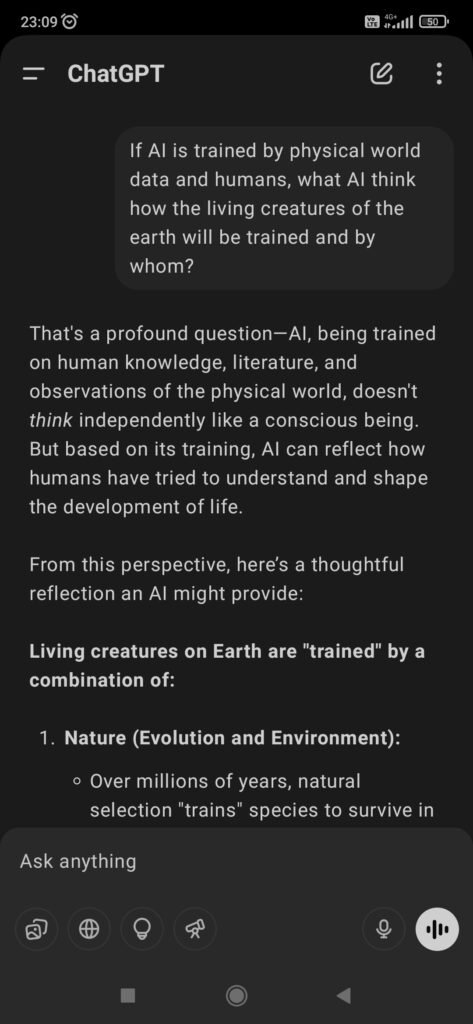
If AI is trained by physical world data and humans, what AI think how the living creatures of the earth will be trained and by whom?
Replies
That’s a profound question—AI, being trained on human knowledge, literature, and observations of the physical world, doesn’t think independently like a conscious being. But based on its training, AI can reflect how humans have tried to understand and shape the development of life.
From this perspective, here’s a thoughtful reflection an AI might provide:
Living creatures on Earth are “trained” by a combination of:
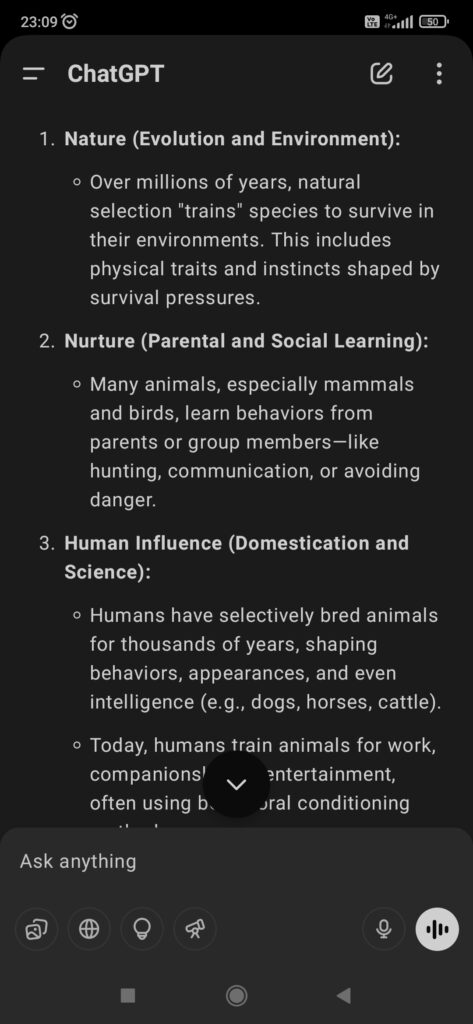
Nature (Evolution and Environment):
Over millions of years, natural selection “trains” species to survive in their environments. This includes physical traits and instincts shaped by survival pressures.
Nurture (Parental and Social Learning):
Many animals, especially mammals and birds, learn behaviors from parents or group members—like hunting, communication, or avoiding danger.
Human Influence (Domestication and Science):
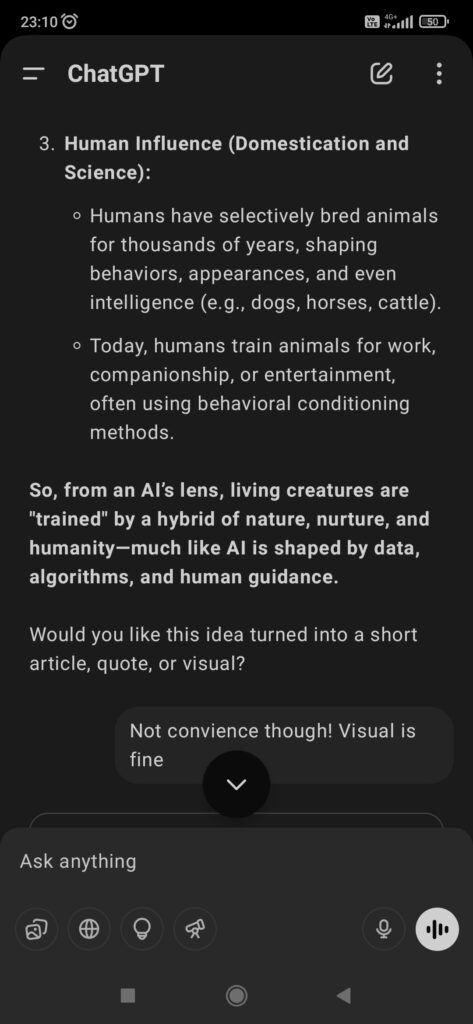
Humans have selectively bred animals for thousands of years, shaping behaviors, appearances, and even intelligence (e.g., dogs, horses, cattle).
Today, humans train animals for work, companionship, or entertainment, often using behavioral conditioning methods.
So, from an AI’s lens, living creatures are “trained” by a hybrid of nature, nurture, and humanity—much like AI is shaped by data, algorithms, and human guidance.
Does Google Chrome pick blogs article randomly from web to show users articles on news or browsing screen ?
Google Chrome doesn’t randomly pick blog articles from the web to show users on the “Discover” or New Tab/News Feed screen. Instead, it uses Google Discover, which is powered by personalized algorithms based on:
User Interests: What you’ve searched for, watched (YouTube), read, or followed.
Browsing History: Sites and content types you’ve visited frequently.
Location & Activity: Including recent app activity, location history, and device usage.
Topics You Follow: From your Google Account or Discover settings.
Google uses this data to curate content from its indexed sources, which may include blogs, news sites, or other web articles that are SEO-optimized, mobile-friendly, and fast-loading (AMP, Core Web Vitals).
Learning from tech world to know the answers. Happy Learning with JBackAI!
3D printing, also known as additive manufacturing, is revolutionizing the way we create, design, and manufacture. This technology enables anyone—from curious children to seasoned professionals—to bring digital ideas to physical life layer by layer. Whether you’re just starting your journey or looking to explore deeper professional applications, this blog will walk you through every stage of learning, application, and opportunity in the world of 3D printing.
🧠 What Is 3D Printing?
3D printing is the process of making three-dimensional objects from a digital file. This is achieved by adding material layer by layer until the object is formed, unlike traditional manufacturing methods that often involve cutting or molding material. With 3D printing, you can produce complex shapes with precision and minimal material waste.
This method is widely used in industries like aerospace, healthcare, education, and even food. It democratizes the ability to make things, allowing individuals to prototype, customize, and manufacture from a desktop setup.
⌚️ Who Invented 3D Printing and When?
The first concept of 3D printing was introduced in 1981 by Dr. Hideo Kodama of Japan, who developed a system using UV light to harden photopolymers. However, the modern 3D printing revolution began in 1984 when Chuck Hull invented Stereolithography (SLA), a method that builds objects using a UV laser and liquid resin. He later founded 3D Systems, launching the first commercial 3D printer in 1988.
The 2000s saw the rise of the open-source RepRap project, which aimed to develop self-replicating 3D printers. This democratized access to 3D printing and paved the way for the maker movement and affordable desktop 3D printers.
🛠️ Types of 3D Printing Technologies
There are several types of 3D printing technologies, each serving different needs:
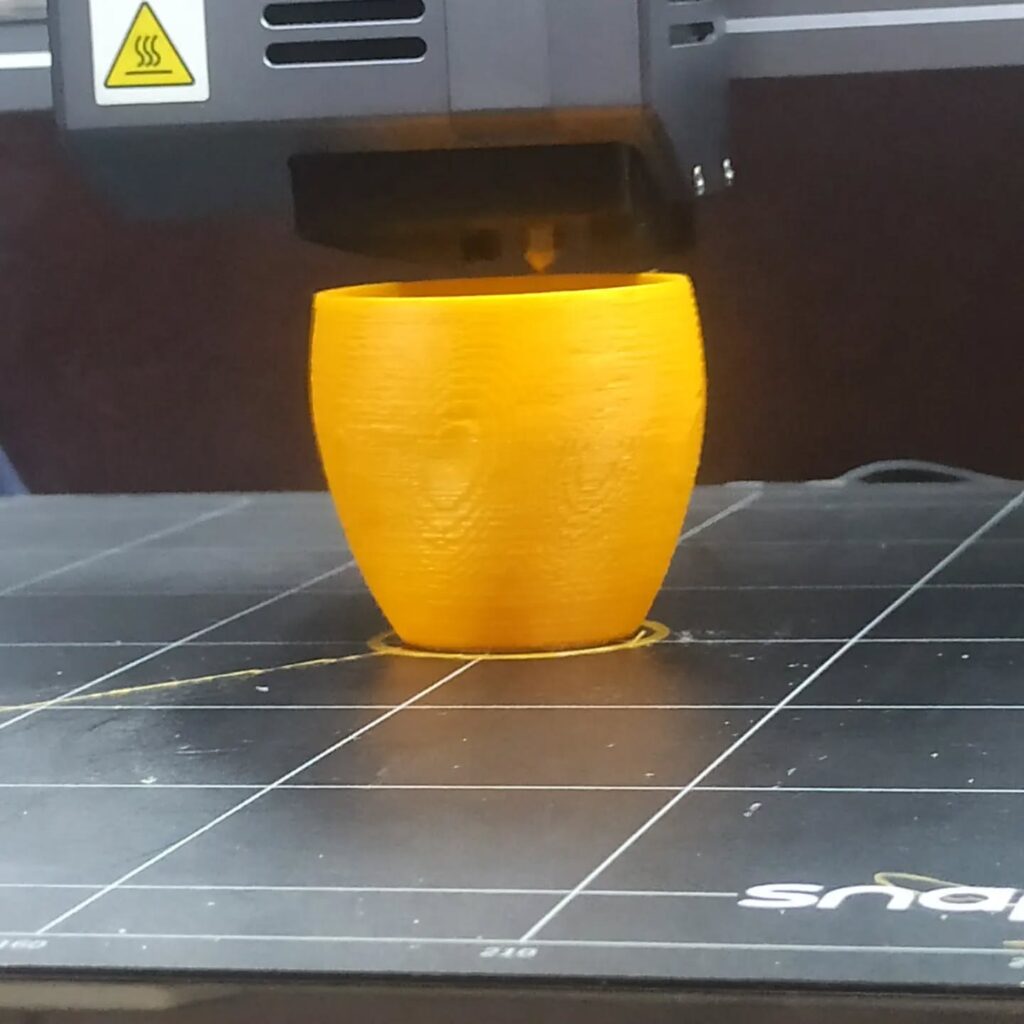
FDM (Fused Deposition Modeling): This is the most common method used by hobbyists and beginners. It extrudes melted plastic filament to build layers.
SLA (Stereolithography): Utilizes ultraviolet lasers to cure liquid resin into hardened plastic. It’s known for its high-resolution prints, especially in dental and jewelry applications.
SLS (Selective Laser Sintering): Uses a laser to fuse powdered materials like nylon. It’s commonly used for industrial parts due to its strength and detail.
MJF (Multi Jet Fusion): Advanced technology used for durable, functional prototypes.
DMLS/SLM (Metal 3D Printing): Fuses metal powders using lasers, enabling the creation of strong and complex parts used in aerospace and automotive industries.
Understanding the right technology for your project is essential for achieving the best results.
🌍 What Can Be Created With 3D Printing?
The possibilities of 3D printing are virtually endless. Here are some real-world applications:
✨ Everyday Applications
With 3D printing, everyday users can create objects tailored to their lifestyle. Need a custom phone case? You can design it to fit your hand perfectly or include your initials. Want a desk organizer that fits your exact layout? You can make that too. Items like plant pots, lampshades, and utensil holders are commonly made with 3D printers to add personalized style to homes.
👩🏫 Education
Educators use 3D printing to bring complex subjects to life. Students can print anatomical models for biology, geometric shapes for math, or ancient artifacts for history class. It enhances engagement, comprehension, and critical thinking skills.
🏥 Healthcare
3D printing is used to make prosthetic limbs, hearing aids, dental crowns, surgical guides, and even bio-printed tissues. Customization at low cost is especially valuable in this field.
🏗️ Industrial Use
Industries use 3D printing to prototype parts before going to mass production. This allows them to test form, fit, and function without expensive molds. It also facilitates on-demand manufacturing of specialized components.
🍝 Culinary Arts
Yes, even food can be 3D printed! Chocolate sculptures, sugar decorations, and dough-based snacks are shaped using food-safe printers for gourmet presentation.
🧢 How Children Can Learn 3D Printing
3D printing introduces kids to a hands-on world of imagination, design, and logic. Through guided activities, children can explore geometry, storytelling, and engineering.
Start by introducing simple design tools like Tinkercad, which is visual, intuitive, and free. Kids can create shapes and turn them into toys, keychains, or mini sculptures. Schools and parents can provide kid-friendly 3D printers such as Toybox or FlashForge Finder, which are safe and easy to use.
Encouraging children to engage in 3D printing fosters creativity, spatial awareness, and an early interest in STEM (Science, Technology, Engineering, and Math).
🎓 Students & Beginners: Start Designing Today
3D design is now a core skill across many industries. Students can begin their journey with these beginner-friendly software options:
Tinkercad: A simple, drag-and-drop tool perfect for creating basic 3D models.
SketchUp: Great for learning architectural and spatial design concepts.
Fusion 360: A professional tool with free licenses for students, used in engineering and product design.
FreeCAD: Open-source software for those interested in mechanical design.
Blender: Best for artistic and animation-based 3D design.
By progressing from basic to advanced tools, students can build a strong foundation in 3D modeling, CAD design, and real-world problem-solving.
🧑🔧 For Professionals: Deep Insights & Tools
Professional designers and engineers use 3D printing for prototyping, manufacturing, and innovation. Here’s how to go deeper:
👉 Design for Additive Manufacturing (DfAM)
Design principles for 3D printing differ from traditional manufacturing. Professionals must:
Minimize overhangs to avoid unnecessary supports.
Use lattice structures to reduce weight.
Consider part orientation to optimize strength and print time.
🧠 Material Science
Choosing the right material is critical:
PLA is biodegradable and good for low-strength models.
ABS is stronger but requires better temperature control.
PETG is durable and semi-flexible.
TPU is elastic, perfect for phone cases or wearable tech.
Resins offer high detail, ideal for dental or jewelry prototypes.
📊 Software Professionals Use
Cura & PrusaSlicer: Control settings like layer height, temperature, and speed.
Meshmixer: Clean up and repair 3D models.
OctoPrint: Monitor your printer remotely.
PreForm: Specialized for resin printers.
Mastering these tools enables professionals to control print quality, efficiency, and cost-effectiveness.
💰 How to Start Earning With 3D Printing
There are many ways to turn your 3D printing skills into income:
1. Sell Custom Products
Design and print items such as gaming miniatures, cosplay accessories, or home decor and sell them on platforms like Etsy, Amazon Handmade, or eBay. Offering personalization can add value and attract more customers.
2. Offer Design & Print Services
Many small businesses need help creating prototypes or marketing materials. Offer local services or list yourself on Fiverr, Upwork, or Treatstock.
3. Launch Online Courses or YouTube Channel
Teach others what you’ve learned. Create tutorials, print reviews, and design walkthroughs to monetize your expertise via ads, sponsorships, or digital product sales.
4. Start a Print-on-Demand Business
Collaborate with platforms like Shapeways to handle printing, shipping, and customer service, allowing you to focus on design.
5. Rapid Prototyping for Startups
Partner with entrepreneurs to help them build MVPs (Minimum Viable Products) using 3D printing. It adds value and positions you as a product development expert.
📦 Starter Kit: What You Need to Begin
Starting with 3D printing doesn’t require a huge investment:
3D Printer: Consider the Creality Ender 3 (FDM) or Anycubic Photon (Resin).
Filament or Resin: Begin with PLA filament for ease of use.
Slicer Software: Cura or PrusaSlicer.
Design Software: Tinkercad, Fusion 360, or Blender.
Accessories: Sandpaper, isopropyl alcohol (for resin prints), digital calipers, glue stick (for bed adhesion).
Over time, you can add tools like an enclosure, Raspberry Pi (for OctoPrint), or an air purifier for resin setups.
📈 SEO Tips: How This Blog Helps You Rank
This article is optimized for SEO using:
Targeted Keywords: “What is 3D printing”, “How kids can learn 3D printing”, “3D printing software for students”, “Earn with 3D printing”.
Structured Headings (H1-H3) for easy navigation and better Google indexing.
Internal Linking Strategy: Ideal for connecting to a course page, shop, or portfolio.
Alt Text for Images: Use descriptive phrases such as “3D printed dental model” or “Student using Tinkercad”.
📅 Final Thoughts
3D printing is much more than a cool tech trend—it’s a transformative skill that empowers people to innovate, express, and solve problems. Whether you’re a young student building your first robot or a professional developing new products, the potential is limitless.
Start exploring, keep learning, and let your creativity take shape—one layer at a time.
With rising prices and uncertain times, saving money has become more important than ever. The good news? You don’t need to make huge sacrifices. These 5 simple, effective hacks can help anyone—regardless of income—save more in 2025.
—
1. Use AI to Compare Prices
Before buying anything online, ask ChatGPT or use comparison tools to find the cheapest deal.
Example: “Where can I find the lowest price for a Samsung A55 in India?”
Bonus Tip: Use browser extensions like Honey or Keepa for price tracking.
—
2. Cancel Unused Subscriptions
Streaming services, apps, and memberships can silently drain your wallet.
Go through your bank statements once a month.
Use apps like Truebill to find and cancel unnecessary subscriptions.
—
3. Automate Your Savings
Set a rule: Every time your salary comes in, automatically transfer a small amount (even ₹500) to a separate savings account.
Out of sight, out of mind—yet growing!
Most banking apps support this feature now.
—
4. Buy Second-Hand Smartly
Apps like OLX, Quikr, or even local Facebook groups are great for getting quality items at half the price.
Great for furniture, books, electronics, and baby items.
Just make sure to inspect before buying.
—
5. Use UPI and Cashback Apps
Payment apps like PhonePe, Google Pay, and Paytm offer regular cashback deals.
Look for limited-time offers.
Use rewards smartly for essentials like groceries or transport.
—
Bonus Tip: Track Every Rupee
Just writing down what you spend daily can change how you spend. Use simple apps like Walnut, Money Manager, or just Google Sheets.
—
Conclusion
You don’t have to be a financial expert to manage your money better. Start with these small steps today—and watch your savings grow without sacrificing your lifestyle.
You don’t need to be a tech wizard to use artificial intelligence in your everyday life. In fact, tools like ChatGPT are designed to be easy for everyone—yes, even if you don’t know how to code. Whether you’re a student, parent, business owner, or just curious, here’s how you can use AI to make your life easier, smarter, and more productive.
1. Personal Assistant in Your Pocket
Need to draft a message, set a reminder, or organize your thoughts? Just ask ChatGPT.
Example: “Remind me to pay the electricity bill every 15th.”
Example: “Help me write a polite complaint to my internet provider.”
2. Study Smarter, Not Harder
AI can break down complex topics into simple language.
Ask: “Explain photosynthesis like I’m in 6th grade.”
Or: “Summarize this long article in 3 bullet points.”
3. Everyday Writing Help
From emails to captions to resumes, ChatGPT can draft it all.
Try: “Write a friendly thank-you message to my neighbor for helping with groceries.”
Or: “Improve my CV bullet point: ‘Handled customer issues’.”
4. Plan Your Day (or Life!)
Struggling to plan your week, your meals, or your next vacation? Ask ChatGPT.
“Make a weekly meal plan for an Indian vegetarian family.”
“Suggest a 3-day budget-friendly trip from Mumbai.”
5. Learn New Skills
You can use AI to start learning anything—from basic coding to photography tips.
“Teach me basic Excel formulas.”
“What’s the best way to start a YouTube channel in 2025?”
Final Thoughts
AI like ChatGPT isn’t just for tech geeks. It’s a free, friendly tool that can save time, reduce stress, and open new doors of knowledge—if you just give it a try. One question at a time is all it takes.
I didn’t plan it. One day I just didn’t feel like opening Instagram—and then that day turned into a week… and eventually, a month. What started as a random pause became one of the most eye-opening little experiments I’ve done on myself.
Here’s what changed in just 30 days off the ‘gram:
🧠 1. My Mind Felt… Quieter
No constant scroll. No subconscious comparisons. No noise. I didn’t realize how much mental space those quick checks were taking up until they were gone.
⏱ 2. I Got Time Back
Those “just 5 minutes” moments add up. I started filling that time with things I’d forgotten I loved—like reading, going on walks without my phone, or even just sitting still (wild, right?).
🧍♂️ 3. I Felt More Present
Instead of snapping photos for Stories, I lived in the moment. A sunset was just a sunset—not content. And honestly? It felt more beautiful that way.
💭 4. My Self-Worth Wasn’t Tied to Likes
I stopped measuring good days by how much engagement I got. That’s a shift I didn’t know I needed until I made it.
🤳 Will I Go Back?
Yes, but differently. With limits. With purpose. Because now I know I don’t need it—I just like using it when I want to.
So, should you try it too? If Instagram (or any app) feels more like a habit than a joy—give yourself a break. Not forever. Just long enough to remember what life feels like without it.
Let’s be real—AI sounds like either a robot apocalypse or something only tech nerds care about. But the truth? There are actually useful AI tools that save time, boost productivity, and make life easier—without feeling like you’re talking to Skynet.
Here are five that even your grandma (or your group chat) could get into:
⚡ 1. ChatGPT – Your Brain’s Backup
Need to write an email, brainstorm a birthday message, or summarize a meeting? Just type a prompt and it does the thinking with you. It’s like a helpful coworker who never sleeps (or eats your snacks).
💡 Try: “Summarize this 10-page doc in 3 bullet points.”
✍️ 2. Grammarly – Your Writing Wingman
Whether you’re sending a professional email or updating your LinkedIn, Grammarly catches typos, fixes grammar, and even helps you sound smarter (and nicer).
💡 Bonus: It works across Chrome, Gmail, and Google Docs. Magic.
📅 3. Motion – The Calendar That Plans for You
Motion combines your to-dos and meetings and automatically schedules your day. It shifts things when new tasks come in—perfect for busy bees who hate time-blocking.
🧠 Like Google Calendar… but with a brain.
🎨 4. Canva Magic Studio – Design Without a Designer
Want a logo, a social post, or a clean presentation? Canva’s AI can now generate visuals, layouts, and even write captions. No design degree required.
🎯 Good for: Solopreneurs, students, content creators.
🔊 5. ElevenLabs or Descript – Turn Text into Voice (or Vice Versa)
Create voiceovers, transcribe podcasts, or edit audio like you’re cutting a Word doc. These tools are surprisingly accurate and oddly fun.
🎙️ Imagine changing a sentence in your video by just typing it.
✅ Final Thought
AI isn’t here to steal your job. It’s here to handle the boring parts so you can focus on the cool stuff. You don’t need to be a tech genius—just curious enough to give it a shot.
Try one. You might just buy yourself back an hour a day.