Categories
AI Humor Artificial Intelligence Digital Life Technology,

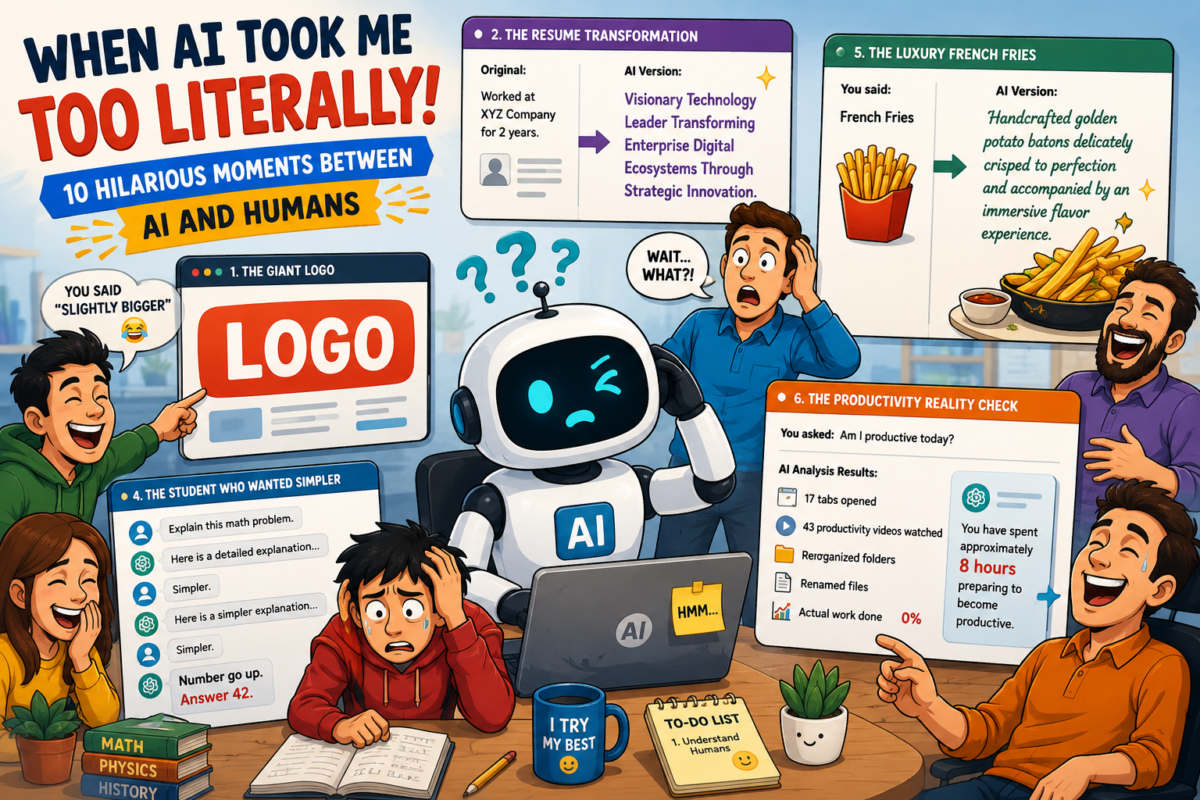
When AI Took Me Too Literally: A Collection of Funny AI User Incidents

Artificial Intelligence is getting smarter every day. It can write emails, generate images, summarize books, create websites, and even help students with homework. But sometimes, the funniest moments happen when humans and AI misunderstand each other in spectacular ways.

Here are some real-life-inspired incidents that show why AI still has a long way to go before it truly understands human beings.


1. “Make My Logo Bigger”

A business owner uploaded a banner design and told the AI:

“Can you make the logo slightly bigger?”

The AI responded by increasing the logo size from 10% of the banner to approximately 90%.

The logo became the banner.

The business name disappeared.

The contact details disappeared.

The slogan disappeared.

The only thing visible was a giant logo staring confidently at everyone.

Technically, the request was fulfilled.


2. The Resume Disaster

A job seeker asked AI:

“Make my resume stand out.”

The AI enthusiastically rewrote his experience.

Original:

Worked at XYZ Company for 2 years.

AI Version:

Visionary Technology Leader Transforming Enterprise Digital Ecosystems Through Strategic Innovation.

The candidate was actually a junior support executive resetting passwords.

The interviewer spent 15 minutes trying to understand how a “Visionary Technology Leader” forgot his own email password.


3. The Angry Customer Email

A frustrated customer wrote:

Write a polite email saying I am unhappy.

AI generated:

Dear Sir,

I hope this email finds you well. I would like to express my deepest gratitude for the unique opportunity to experience disappointment at a level I previously believed impossible.

The customer laughed so hard he forgot to be angry.


4. The Student’s Shortcut

A student asked:

Solve this math problem and explain simply.

AI provided a detailed explanation.

The student replied:

Simpler.

AI simplified it.

Student:

Simpler.

AI simplified again.

Student:

Simpler.

Finally AI responded:

Number go up. Answer 42.

The student submitted it.

The teacher wrote:

Marks go down.


5. The Restaurant Menu Incident

A restaurant owner wanted fancy menu descriptions.

Original:

French Fries

AI Version:

Handcrafted golden potato batons delicately crisped to perfection and accompanied by an immersive flavor experience.

Customers expected a luxury dish.

They received fries.

Good fries, but still fries.


6. The Overly Honest AI

A user asked:

Am I productive today?

The AI reviewed the user’s activities:

  • Opened 17 tabs
  • Watched 43 productivity videos
  • Reorganized desktop folders
  • Renamed files
  • Read articles about productivity

Then replied:

You have spent approximately 8 hours preparing to become productive.

That one hurt.


7. The Website Launch

A developer asked AI:

Create a modern website.

AI generated:

  • Dark theme
  • Animations
  • Gradients
  • Glassmorphism
  • Shadows
  • More shadows
  • Even more shadows

The page looked beautiful.

Loading time: 18 seconds.

The developer proudly launched it.

Visitors admired the loading spinner.


8. The Diet Plan

User:

Give me a healthy diet plan.

AI:

Eat vegetables, fruits, proteins, and drink water.

User:

I don’t like vegetables.

AI adjusted.

User:

I don’t like fruits.

AI adjusted.

User:

I don’t like protein.

AI paused.

Then responded:

Have you considered photosynthesis?


9. The Smart Home Problem

A user connected AI to their smart home.

User:

Make the room cozy.

AI interpreted:

  • Lights: 20%
  • Temperature: 22°C
  • Soft music
  • Curtains closed

Perfect.

Then the user said:

A little more cozy.

AI turned off all lights.

Nobody could find the switch.


10. The Ultimate AI Question

One evening a user asked:

Can you replace humans?

AI replied:

Who would ask me questions if I did?

For a brief moment, both human and machine agreed on something.


The Real Lesson

Most funny AI stories happen because humans assume AI understands context the same way people do.

Humans communicate with hints, emotions, assumptions, and incomplete sentences.

AI communicates with patterns, probabilities, and sometimes an alarming level of literal interpretation.

The result?

Occasional confusion.

Unexpected comedy.

And stories worth telling.

As AI becomes more powerful, one thing remains certain:

The funniest bugs in technology will always come from the interaction between human creativity and machine logic.

And honestly, we wouldn’t want it any other way.

Categories
AI & Technology Javascript Programming Technology, Web Development World in Motion

🚀 JavaScript Evolution: From Browser Scripting to Universal Runtime (2026 Deep Dive)

🧠 Introduction

JavaScript is no longer just a browser scripting language—it is now the backbone of modern software development. From powering interactive web pages in the 1990s to running full-scale distributed systems, JavaScript has evolved into a universal runtime shaping how applications are built and deployed.

In this deep dive, we explore:

  • How JavaScript has transformed over time
  • What major features and paradigms were introduced
  • How its ecosystem reshaped development
  • Where JavaScript is heading in the next decade

But beyond just evolution, JavaScript has fundamentally shifted its role in the tech ecosystem. It didn’t just grow—it repositioned itself as a universal runtime across platforms.
👉 Read deeper insight: JavaScript Didn’t Just Evolve — It Repositioned Itself


🕰️ Phase 1: The Early Days (1995–2005)

JavaScript was created in 1995 with a simple goal:
👉 Make web pages interactive.

Key Characteristics

  • Loosely typed
  • Prototype-based inheritance
  • Event-driven execution
  • Minimal tooling

Limitations

  • No modular architecture
  • Browser inconsistencies
  • Callback-heavy async patterns

At this stage, JavaScript was often underestimated and considered unreliable for serious engineering.


⚙️ Phase 2: Standardization with ES5 (2009)

The release of ECMAScript 5 brought stability and structure.

What Changed

  • Strict mode ("use strict")
  • Native JSON support
  • Functional array methods (map, filter, reduce)
  • Better object control

Why It Mattered

This era laid the foundation for scalable JavaScript applications and enabled cleaner, more predictable codebases.


🔥 Phase 3: ES6 – The Turning Point (2015)

ES6 was not just an update—it was a complete transformation.

This transformation marked the beginning of a deeper shift—not just in syntax, but in how JavaScript positioned itself in the software world.
👉 Explore the full perspective here: JavaScript Didn’t Just Evolve — It Repositioned Itself

Major Features Introduced

Block Scoping

let count = 0;
const MAX = 10;

Arrow Functions

const sum = (a, b) => a + b;

Classes (Cleaner OOP)

class User {
constructor(name) {
this.name = name;
}
}

Modules (Finally!)

export const api = {};
import { api } from './file.js';

Promises

fetch(url).then(res => res.json());

Destructuring

const { name } = user;

🚀 Impact of ES6

  • Enabled large-scale applications
  • Improved readability and maintainability
  • Shifted JavaScript toward modern engineering standards

🌍 JavaScript Beyond the Browser

⚡ Node.js Revolution

JavaScript expanded to the backend, enabling:

  • Server-side development
  • APIs and microservices
  • Real-time applications

👉 One language, full stack.

This moment defined JavaScript’s identity shift—from a frontend scripting tool to a cross-platform runtime environment.
👉 Detailed breakdown: JavaScript Didn’t Just Evolve — It Repositioned Itself


🎨 Frontend Framework Shift

Development moved from manual DOM handling to structured UI systems:

  • React → Component-driven architecture
  • Angular → Full ecosystem
  • Vue → Reactive simplicity

This introduced:

Declarative UI + state-driven design


⏳ Async Evolution: The Biggest Developer Pain Solved

Before (Callback Hell)

fs.readFile(file, (err, data) => {});

Promises

readFile(file).then(data => {});

Async/Await (Modern Standard)

async function load() {
const data = await readFile(file);
}

Result

  • Cleaner logic
  • Better debugging
  • Synchronous-like flow

🧩 TypeScript Influence (The Silent Takeover)

JavaScript itself didn’t become typed—but the ecosystem did.

Why TypeScript Won

  • Large app complexity
  • Need for type safety
  • Better tooling

Real Impact

  • Enterprise-level adoption
  • Reduced runtime errors
  • Strong IDE support

Today:

TypeScript is often the default, not optional.


⚡ Modern JavaScript (ES2018–2026)

JavaScript now evolves every year with incremental improvements.

Key Modern Features

Optional Chaining

user?.profile?.name

Nullish Coalescing

value ?? "default"

Top-Level Await

const data = await fetch(url);

Logical Assignment

x ||= 10;

BigInt

const big = 999999999999999999n;

🧠 The Real Power: JavaScript Ecosystem

The language is only part of the story.

Tooling Explosion

  • Bundlers: Webpack, Vite
  • Transpilers: Babel
  • Linters: ESLint
  • Formatters: Prettier

Runtime Expansion

  • Browser
  • Node.js
  • Deno
  • Bun

Cross-Platform Reach

  • Mobile → React Native
  • Desktop → Electron
  • Cloud → Serverless functions

🔄 Paradigm Shift Summary

AreaOld JavaScriptModern JavaScript
Code StructureScriptsModules
AsyncCallbacksAsync/Await
UIManual DOMComponent-based
RuntimeBrowser onlyEverywhere
TypingDynamicTyped (TS)

🔮 Where JavaScript Is Heading

1. Edge Computing

JavaScript is moving closer to users:

  • Faster response times
  • Distributed execution

2. WebAssembly Integration

JavaScript will act as a bridge for high-performance code:

  • Gaming
  • AI
  • Video processing

3. Type-Safe Future

  • TypeScript dominance
  • Possible native type support

4. AI + JavaScript

JavaScript is becoming the interface layer for AI systems:

  • Browser AI apps
  • Node.js AI orchestration
  • AI SDK ecosystems
This reinforces a critical idea: JavaScript isn’t just evolving—it’s strategically positioning itself at the center of modern computing.  
👉 Read the deeper analysis: JavaScript Didn’t Just Evolve — It Repositioned Itself

5. New Runtimes

Emerging tools like Bun and Deno are pushing:

  • Faster execution
  • Better developer experience

⚠️ Challenges Ahead

1. Ecosystem Overload

Too many tools, too many choices.

2. Complexity

Modern JS requires:

  • Build systems
  • Configurations
  • Dependency management

3. Backward Compatibility

JavaScript cannot break existing web apps—limiting radical changes.


🏁 Final Thoughts

JavaScript’s evolution is not just technical—it’s philosophical.

It has transformed into:

A universal language that connects frontend, backend, mobile, cloud, and AI systems.

The future of JavaScript is not about replacing it—but expanding it further into every layer of computing.

🔗 Recommended Deep Read

If you want to truly understand the strategic shift behind JavaScript’s dominance, don’t miss this:

👉 JavaScript Didn’t Just Evolve — It Repositioned Itself

This article breaks down how JavaScript moved from a simple scripting language to becoming the backbone of modern development ecosystems.